Teleprompter Duo: Read Your Script, Record in 4K
Watch on YouTube ↗ · 51 seconds
Can you read your next line without giving up your rear-camera recording setup?
THE SHIFT
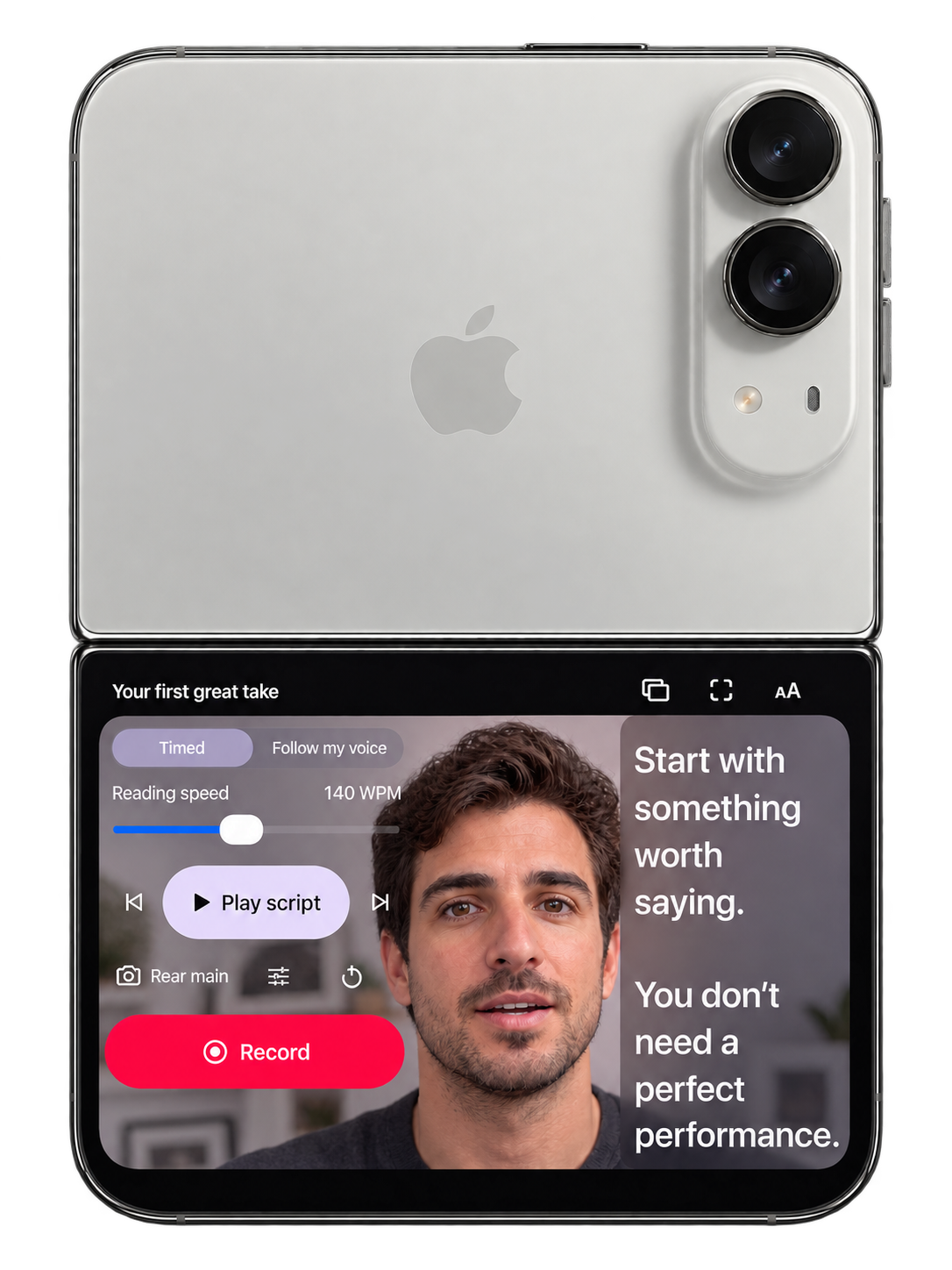
Teleprompter Duo brings a scrolling script and rear-camera recording into one iPhone Duo setup. Your words and live preview stay on the display facing you while the rear main camera records in up to 4K, or 3840 × 2160.
The practical benefit is having your next line close to the lens. Instead of memorizing a script or placing a separate reading screen far from the camera, you can check framing and follow the words in the same place.
THE PROOF
The supplied product demonstration shows a sequence of opening a script, adjusting the reader, turning the phone to the outer display and recording with the rear cameras above the reading screen. The live preview and script are visible together. This illustrates the intended arrangement; the recording-format specification comes from the app’s published product information.
The current website also shows the script library, editor and reading screen. Users can write, paste or import a script, adjust timed scrolling, rehearse and record. The reading screen keeps playback and recording controls within reach. Pro adds supported on-device voice following, which moves the script with speech.
Placement is the mechanism that matters. If the script sits close to the lens, the reader’s eyes have less distance to travel between the words and the camera. The site says a narrow, lens-adjacent column can reduce visible eye travel. Eye contact still depends on text size, reading distance and the physical setup. It is a workflow aid rather than a guarantee of perfect eye contact.
THE CATCH
The free version includes one completed recording, take review, trimming and unlimited watermarked exports. Further recordings require Pro. Pro also adds watermark-free exports and other editing features. The website lists weekly and annual subscriptions, with current local prices and renewal terms shown in the app. No introductory trial is offered.
The site describes scripts as local unless optional iCloud sync is enabled in supported builds, with original takes kept locally. Exporting or sharing sends the selected content to the chosen destination. Supported speech features depend on on-device language support.
YOUR MOVE
Before your next recording, import a short script, place iPhone Duo at eye level and rehearse at the distance you will actually use.
Adjust reading speed, text size and the width of the reading column before judging how natural the delivery feels. Use the included completed recording to check whether the workflow fits your needs before committing to more recordings through Pro.
Your camera captures the detail. Your script keeps the delivery moving. The useful change is putting both into one readable recording setup.
Sources & further reading
- Teleprompter Duo — official product site ↗
- Teleprompter Duo product facts ↗
- Rear-camera teleprompter guide ↗
- Teleprompter Duo product demonstration ↗
Published by The Breakdown. How we report · Our source desk.